Record.
Review.
Improve.
Just set your iPhone down and swing. AI extracts only the swings and saves them. An Apple Watch unlocks even more precise detection. Instantly replay in slow motion or compare different swings side by side.

iOS only · Free plan available · Apple Watch supported
Creating the next standard.
Ten years ago, how many golfers around you were using a laser rangefinder?
Today, nearly 80% of golfers use distance-measuring devices at the range and on the course. Smartwatch-style devices are spreading fast, and while launch monitors costing tens of thousands of dollars remain the domain of top professionals, units priced at a few hundred to a few thousand dollars are gradually reaching everyday golfers.
Yet in an era where virtually every golfer carries a smartphone,
swing recording still hasn't become the norm.
You don't even need a tripod — lean your phone against something and you can record video. The tool is already in your hand. So why do so few golfers actually film their swings?
Because the system to make it easy simply didn't exist.
You hit a few dozen balls in 15 minutes, but reviewing the footage takes just as long. You want to compare a great shot with a miss, but scrubbing through one long video to find them is tedious. Most people who try it once stop doing it almost immediately.
Loopshot solves
all of this.
Loopshot detects your swings from iPhone camera footage alone and clips just the moments that matter. Add an Apple Watch, and detection becomes even more precise — plus you can switch clubs, save, and review entirely from your wrist without ever touching your phone.
Filter clips by club, shot shape, or quality. Compare different swings side by side. See what the naked eye can't catch with slow motion and frame-by-frame playback.
Swing, replay, analyze, swing again.
Your improvement accelerates through this loop.
I want to make it normal for every golfer to record their swings effortlessly and improve exponentially.
That's why I built this app.
Yosuke Ogata
Teaching Professional
Just swing.
Watch handles the rest.
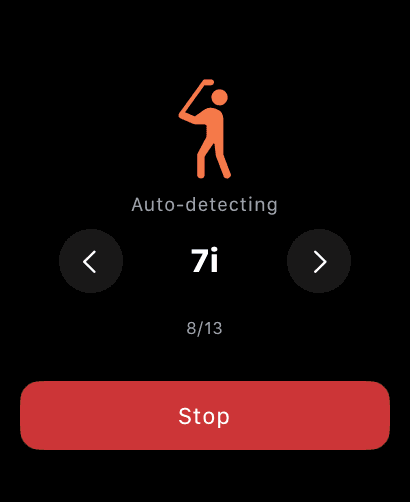
Apple Watch's accelerometer detects the moment of your swing and automatically clips the video around it. No need to press record. Without a Watch, camera-based frame analysis detects swings automatically.
Slow-motion review
right after impact.
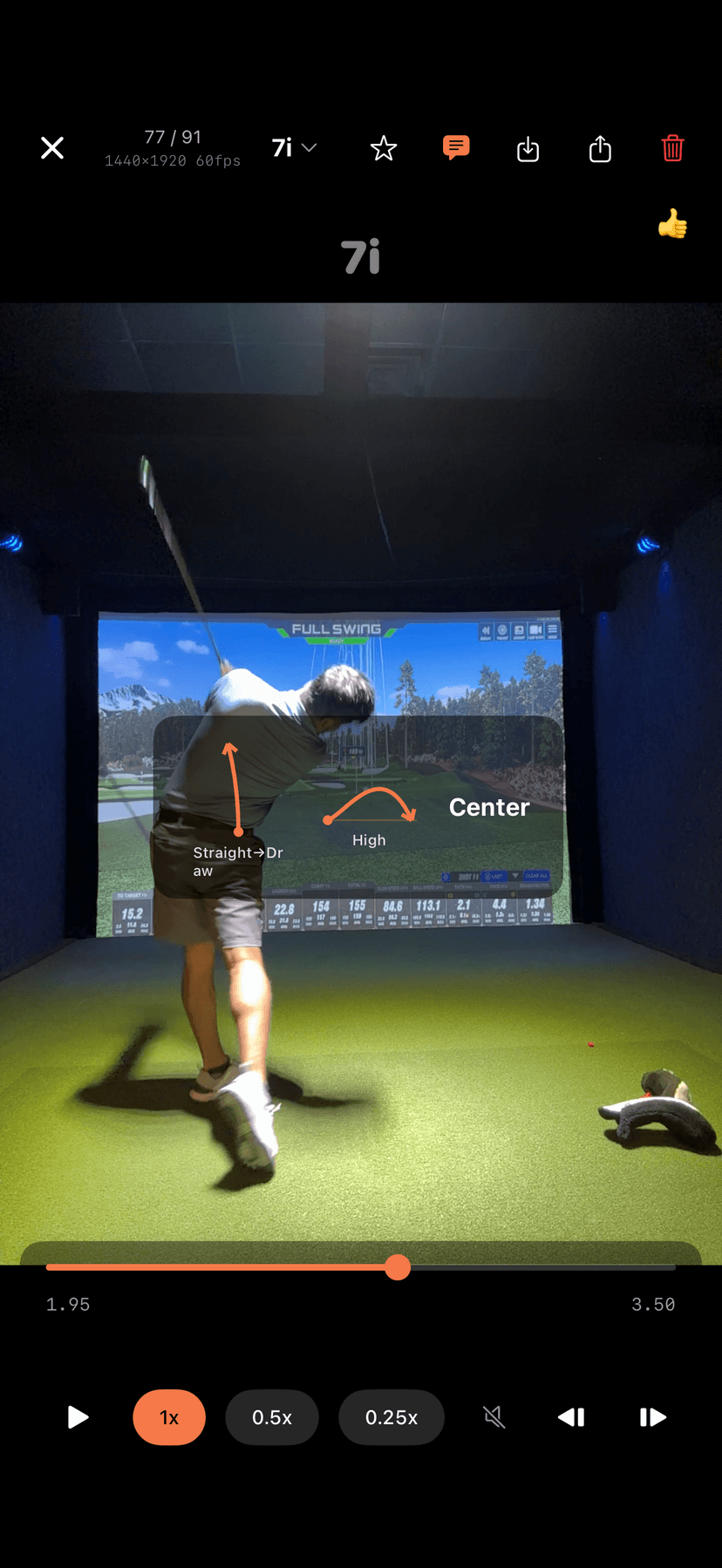
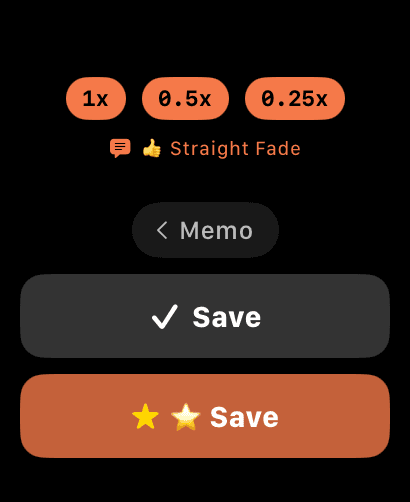
When a swing is detected, loop playback starts automatically. Check the moment of impact at 0.25x super slow motion. With an Apple Watch, save or discard right from your wrist and move on to the next swing.
Head to toe.
Nothing cropped.
Most camera apps shoot in 16:9, but the actual sensor is 4:3. 16:9 just crops the top and bottom. Loopshot records in native 4:3 so your full body fits comfortably in frame.
* Full-sensor capture may not be available at every resolution or frame rate.
cropped
visible
Every swing.
Automatically organized.
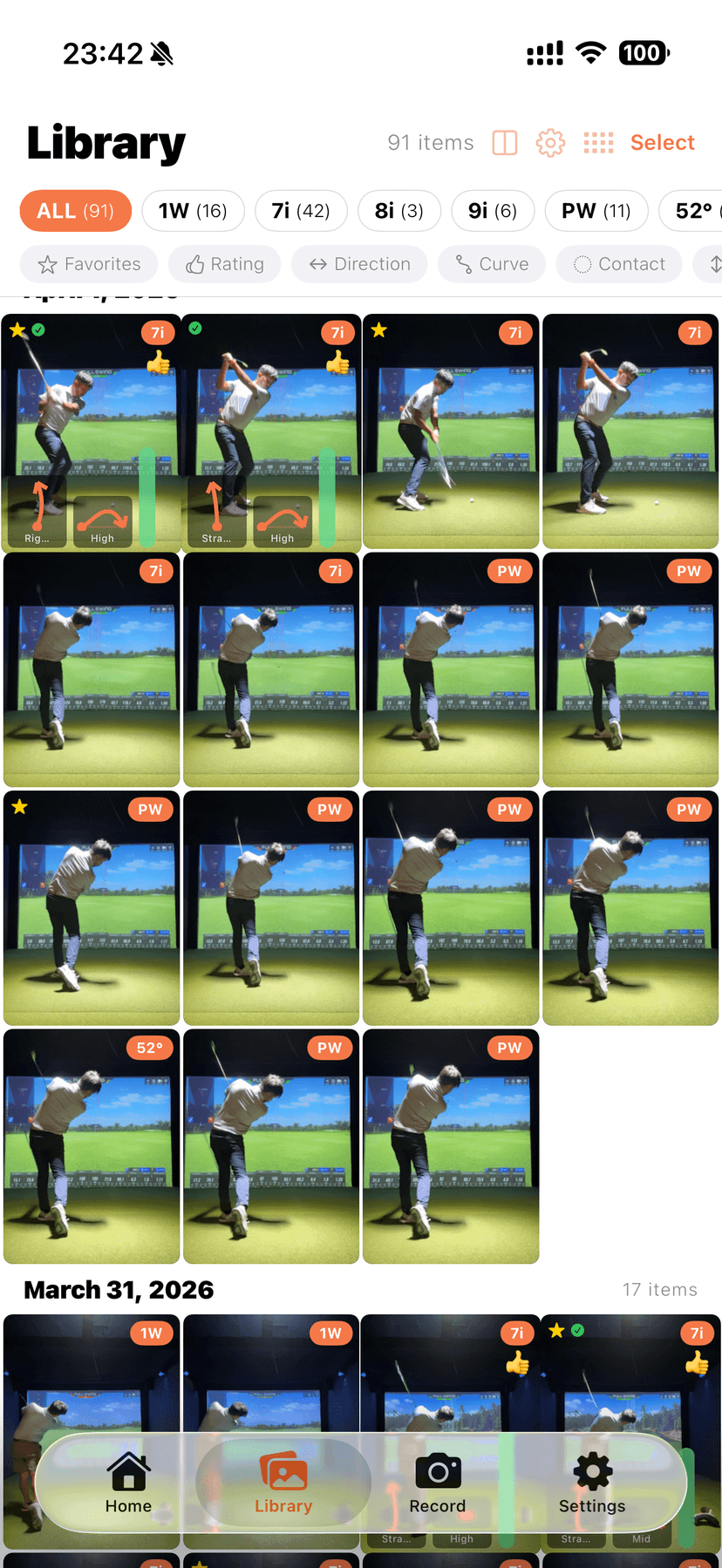
Saved clips are sorted by club and date automatically. Add favorites and notes for easy review. Pinch to adjust the grid size. Pro users can export to Camera Roll.
Track ball flight.
Find your patterns.
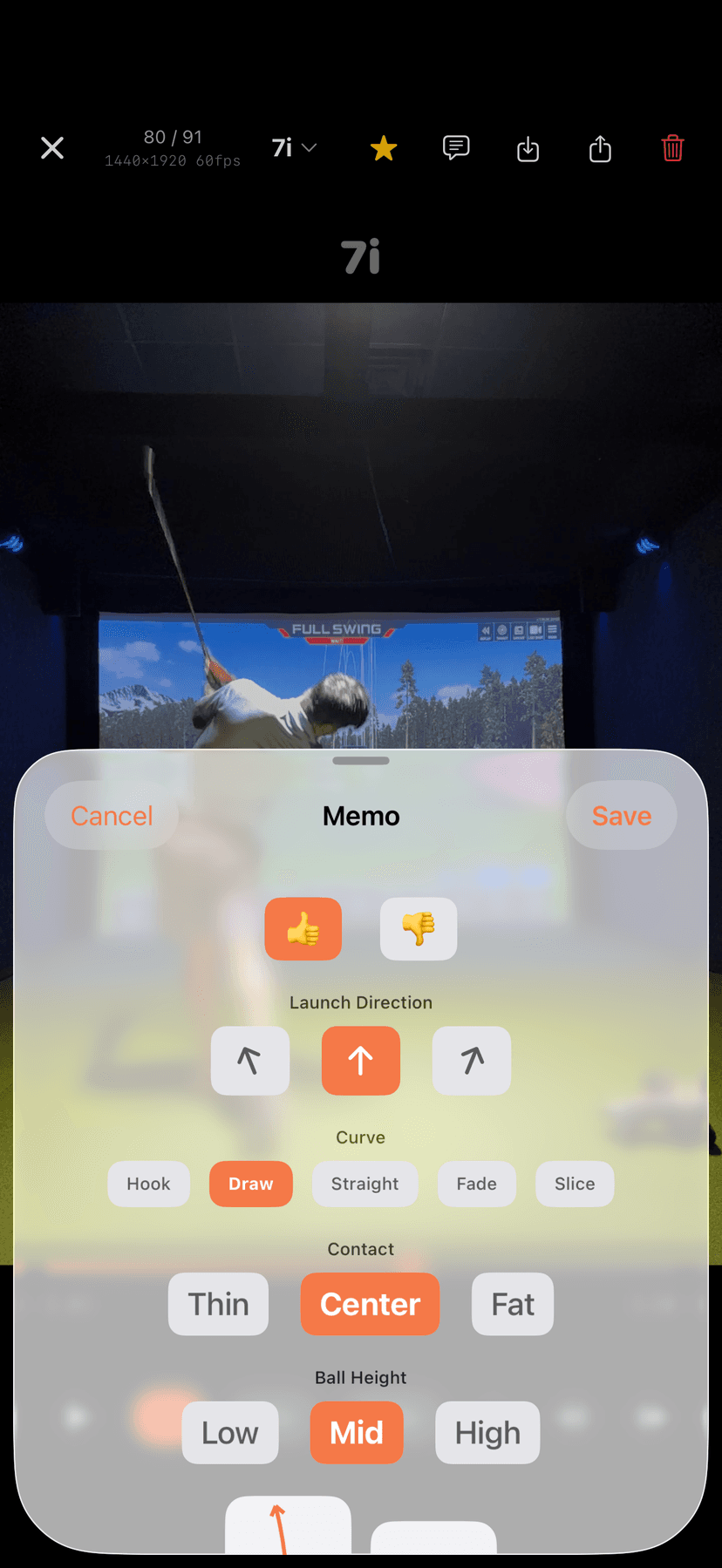
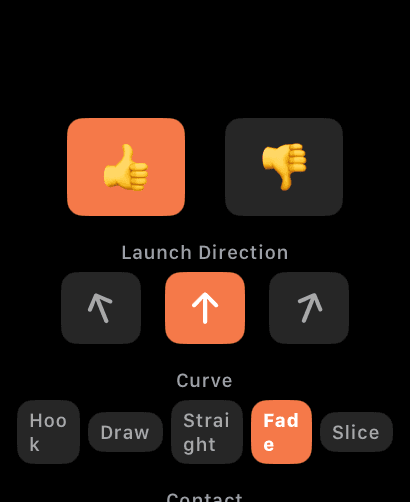
Record direction, curve, contact, and trajectory height for every swing. Choose from 15 visual ball flight patterns. Filter by club, rating, or shot shape, then compare your best and worst swings side by side.
±3° OK
Horizon aligned
Camera level?
Auto-checked.
Before recording, the Vision framework and gyroscope automatically detect your iPhone's tilt. A green indicator lights up within ±3°. Accurate swing analysis starts with proper camera setup.
Setup is easy.
A tripod is ideal — but you can start with whatever you have on hand.
MagSafe Tripod
Snap on, snap off, adjust any angle. If your phone isn't MagSafe, a tripod with a clip attachment works just as well.
Shop on Amazon→Phone Clip
Clip it onto your golf bag or push cart. Capture from down-the-line or face-on — whichever angle you want.
Shop on Amazon→Improvise
No accessories? No problem. Things around you work surprisingly well:
- —Slide it into a golf shoe
- —Tuck it into a mesh pocket on your golf bag
- —Lean it against a water bottle
As long as your iPhone stands upright and the full swing fits in the frame, you're ready to record.
Stay focused.
Hands-free practice.
From swing detection to saving clips, switching clubs, and frame-by-frame playback — everything happens on your wrist.
Pricing
Start free and upgrade when you need more
* Actual storage capacity depends on available device storage
※ 240fps and 4K recording require device support
Every time I recorded my students' swings during lessons, I kept thinking there had to be a simpler, more accurate way.
Existing apps had too many features or were missing the essentials. So I built my own. Only what matters, done right.
FAQ
Is Apple Watch required?
No. Without a Watch, the app uses camera-based frame analysis to detect swings automatically. With a Watch, detection is more accurate and you can save, discard, and switch clubs from your wrist.
Is the free plan enough?
Yes. 60fps, 1080p, slow motion, and Watch support are all free. The 25-clip limit is enough for a single practice session.
Why 4:3 recording?
Clubface orientation during the swing is critical information. Being able to see it clearly at high FPS is exactly why we stuck with 4:3 — it keeps everything in frame.
Supported devices?
iPhone with iOS 17 or later. Apple Watch with watchOS 10 or later (all Series). No Android version is planned.
Practice smarter.
Record your swing properly. Review it properly.
That alone changes how fast you improve.

Free on the App Store